
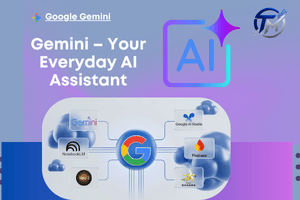
Introductionto Google Gemini AI
Artificial intelligence is changing how people work, study, communicate, and create content. Among today’s popular AI technologies, Google Gemini AI has become a useful tool for students, professionals, business owners, marketers, bloggers, and content creators. It can help users brainstorm ideas, summarize information, write drafts, organize tasks, explain difficult concepts, and develop creative content.
Learning how to use Gemini AI effectively can save time and improve productivity. Instead of treating an AI tool as a simple search engine, users can interact with it as an AI assistant that understands instructions and helps with different types of tasks.
What Is Google Gemini AI?
Google Gemini AI is Google’s generative AI technology designed to understand user prompts and provide useful responses. It can assist with writing, brainstorming, learning, research, planning, summarization, and other everyday activities.
The technology is part of the wider Google AI ecosystem. Users can interact with Gemini through available Google products and the Gemini app, depending on their account, device, region, and available features.
One important advantage of Google Gemini is its ability to handle follow-up questions. Instead of starting a new conversation every time, users can continue a discussion and refine the response according to their needs.
Google Gemini AI for Everyday Tasks
Users can ask Google Gemini AI to create lists, explain concepts, rewrite paragraphs, generate ideas, prepare outlines, or summarize information. The more specific the instructions are, the more useful the response is likely to be.
How Gemini AI Works as an AI Assistant
An AI assistant can help users complete tasks through natural-language instructions. Instead of learning complicated software commands, users can simply describe what they want.
For example, a professional could ask Gemini to:
- Draft a business email.
- Create a meeting agenda.
- Summarize project notes.
- Generate marketing ideas.
- Rewrite content professionally.
- Create a presentation outline.
- Organize a task list.
The user can then ask follow-up questions to improve the result. This makes Gemini AI useful for both simple and complex workflows.
Google Gemini AI for Productivity
A good prompt should include the task, context, audience, tone, and desired format. For example, instead of asking “Write a post,” you could say, “Create a professional LinkedIn post about digital marketing for small businesses in 150 words.”
Using Google Gemini AI for Work
Professionals can use Google Gemini AI to support many workplace activities. Employees can use it for brainstorming, writing, research, planning, communication, and organization.
For example, a marketing professional could ask Gemini to generate campaign ideas for a new product. A manager could ask it to create an agenda for a team meeting. A business owner could use it to brainstorm customer engagement strategies.
Google AI for Business Productivity
Google AI tools can help reduce the time spent on repetitive tasks. However, AI-generated information should be reviewed before it is used in important business decisions.
Gemini should support professional judgment rather than completely replace it. Human experience, creativity, fact-checking, and decision-making remain important.
Using the Gemini App for Study
Students can use the Gemini app as a learning companion. Instead of simply asking for answers, students can ask the AI to explain topics, create practice questions, generate summaries, and provide examples.
For example, a student studying business management could ask:
“Explain market segmentation in simple language and give three practical examples.”
The student can then ask additional questions if the first explanation is difficult to understand.
Personalized Learning with Gemini AI
Gemini AI can adjust explanations according to a student’s learning level. A beginner can request a simple explanation, while an advanced learner can ask for technical details.
Students can also use it to create:
- Revision notes
- Flashcards
- Practice quizzes
- Study plans
- Topic summaries
- Question-and-answer exercises
This can make studying more interactive and organized.
Using Google Gemini for Content Creation
Content creators can use Google Gemini to support almost every stage of content development. Bloggers, YouTubers, social media managers, and marketers can use it for brainstorming and creating content drafts.
For example, a blogger can ask Gemini to generate article ideas, create an outline, suggest headlines, or develop questions that readers may have.
Google Gemini AI for Bloggers and Creators
A useful content workflow is:
- Select a topic.
- Research the audience.
- Generate content ideas.
- Create an outline.
- Develop the first draft.
- Add original examples and opinions.
- Fact-check information.
- Edit the final content.
- Optimize it for search engines and readers.
The important point is that AI should assist the creator rather than simply produce content without human review.
Gemini AI and Artificial Intelligence Learning
Learning about artificial intelligence is becoming increasingly important as AI technology enters education, business, marketing, healthcare, finance, and many other industries.
Gemini AI can help beginners understand technical topics by explaining them in simple language. For example, users can ask:
“What is machine learning? Explain it using an everyday example.”
Gemini can explain concepts such as machine learning, data, algorithms, automation, and AI applications at different levels.
Machine Learning and Google AI
Machine learning is a branch of artificial intelligence in which computer systems learn patterns from data and use those patterns to make predictions or decisions.
Users can ask Google Gemini AI to compare machine learning with traditional programming, explain common machine-learning concepts, or provide simple examples.
How to Write Better Gemini AI Prompts
The quality of an AI response often depends on the quality of the prompt. A clear prompt gives Gemini better information about the desired result.
A useful prompt can include:
Role + Task + Context + Audience + Format + Goal
For example:
“Act as a digital marketing expert. Create a 500-word beginner-friendly article about social media marketing for small businesses. Use simple language, H2 headings, examples, and a professional tone.”
Effective Google Gemini Prompts
Users can also ask Gemini to improve its own response. For example:
- “Make this explanation easier to understand.”
- “Give me three real-world examples.”
- “Convert this into a table.”
- “Summarize this in 100 words.”
- “Make the tone more professional.”
- “Create five questions based on this topic.”
Specific instructions generally make the output easier to use and edit.
Benefits of Google Gemini AI
There are several benefits of using Google Gemini AI for work, education, and content creation.
1. Saves Time with an AI Assistant
Gemini can help users complete repetitive writing, summarization, brainstorming, and organization tasks more quickly.
2. Supports Creativity with Google Gemini
Content creators can use Google Gemini to generate ideas when they experience writer’s block or need different perspectives.
3. Helps Students Learn with Gemini AI
Students can ask questions, request explanations, create practice exercises, and organize their study materials.
4. Improves Productivity with Google AI
Professionals can use Google AI tools to create drafts, organize information, and support everyday workflows.
5. Supports Multiple Workflows with Google Gemini AI
From research and planning to writing and learning, Google Gemini AI can support different stages of a project.
Important Things to Remember When Using Google Gemini AI
Although Google Gemini AI is a powerful technology, users should not assume every response is automatically correct. AI systems can sometimes generate inaccurate information, misunderstand a prompt, or provide incomplete answers.
Important facts should be verified using reliable sources. Students should also follow their institution’s rules regarding AI-generated work.
For professional and online content, human editing is essential. Adding personal experience, original examples, accurate information, and unique insights can make content more valuable.
Responsible Use of Artificial Intelligence
Responsible use of artificial intelligence means understanding both its benefits and limitations. AI should be used as a productivity and learning tool while humans remain responsible for important decisions and final content.
Conclusion
Google Gemini AI provides practical ways to improve productivity, learning, research, and content creation. Whether you use the Gemini app for studying, Google Gemini for brainstorming, or Gemini AI as an AI assistant for work, effective prompting can help you get better results.
The technology is also useful for learning about artificial intelligence and machine learning. However, the best approach is to combine AI capabilities with human creativity, critical thinking, fact-checking, and expertise.
By learning how to create clear prompts and review AI-generated responses, students, professionals, marketers, and content creators can make Google Gemini AI a valuable part of their daily workflow.
Tagged: AI assistant Artificial Intelligence Google AI Google Gemini AI